Cashless Payments at the Library
Step 1
©
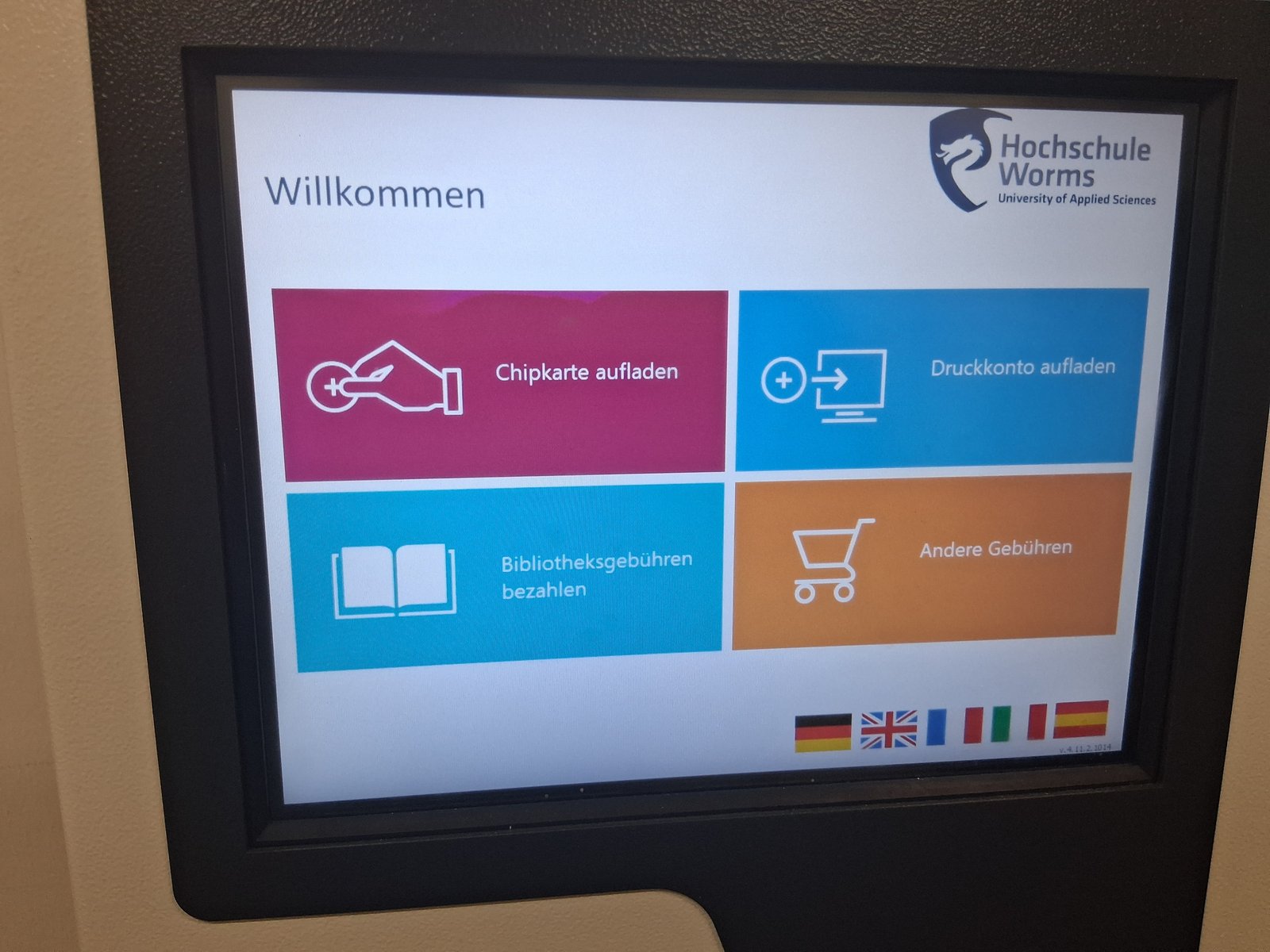
If you have any library fees, you can pay them at the payment machine.
You’ll find the machine in the entrance area of the locker room.
On the home screen, select the “Pay Library Fees” option.
Step 2
©
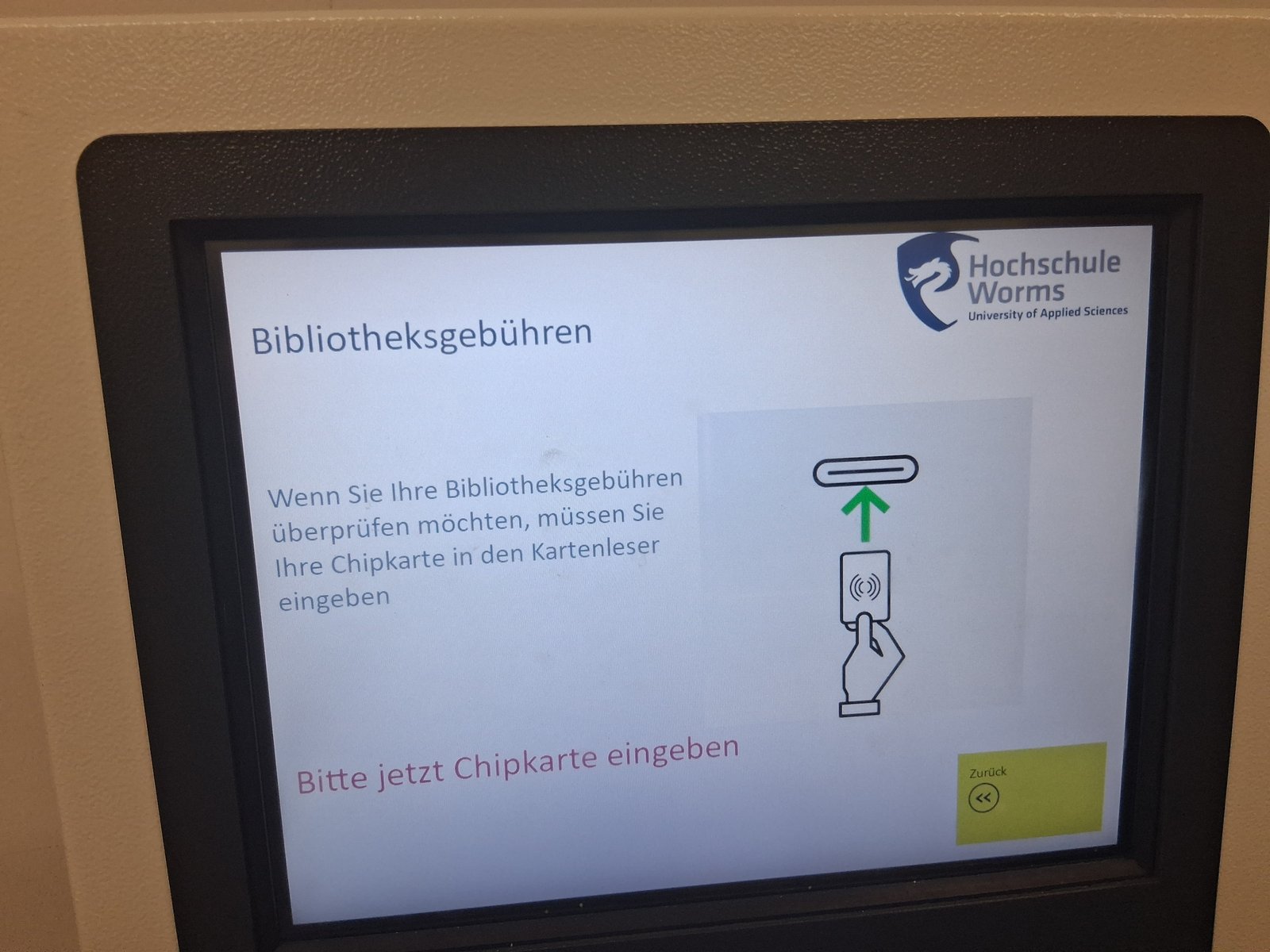
Insert your university ID card into the slot labeled “Card Reader.”
The screen will display the amount due.
Step 3
©
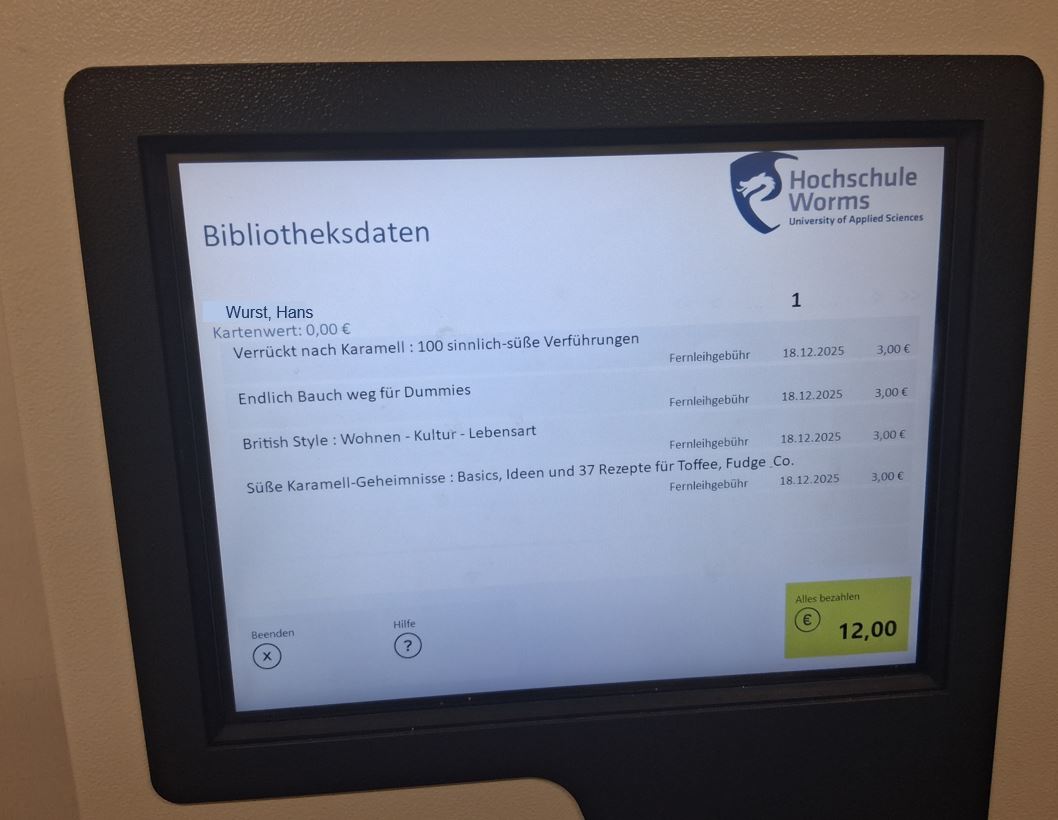
On the screen, you'll see the media items for which charges have been incurred.
Click “Pay All.”
Step 4
©
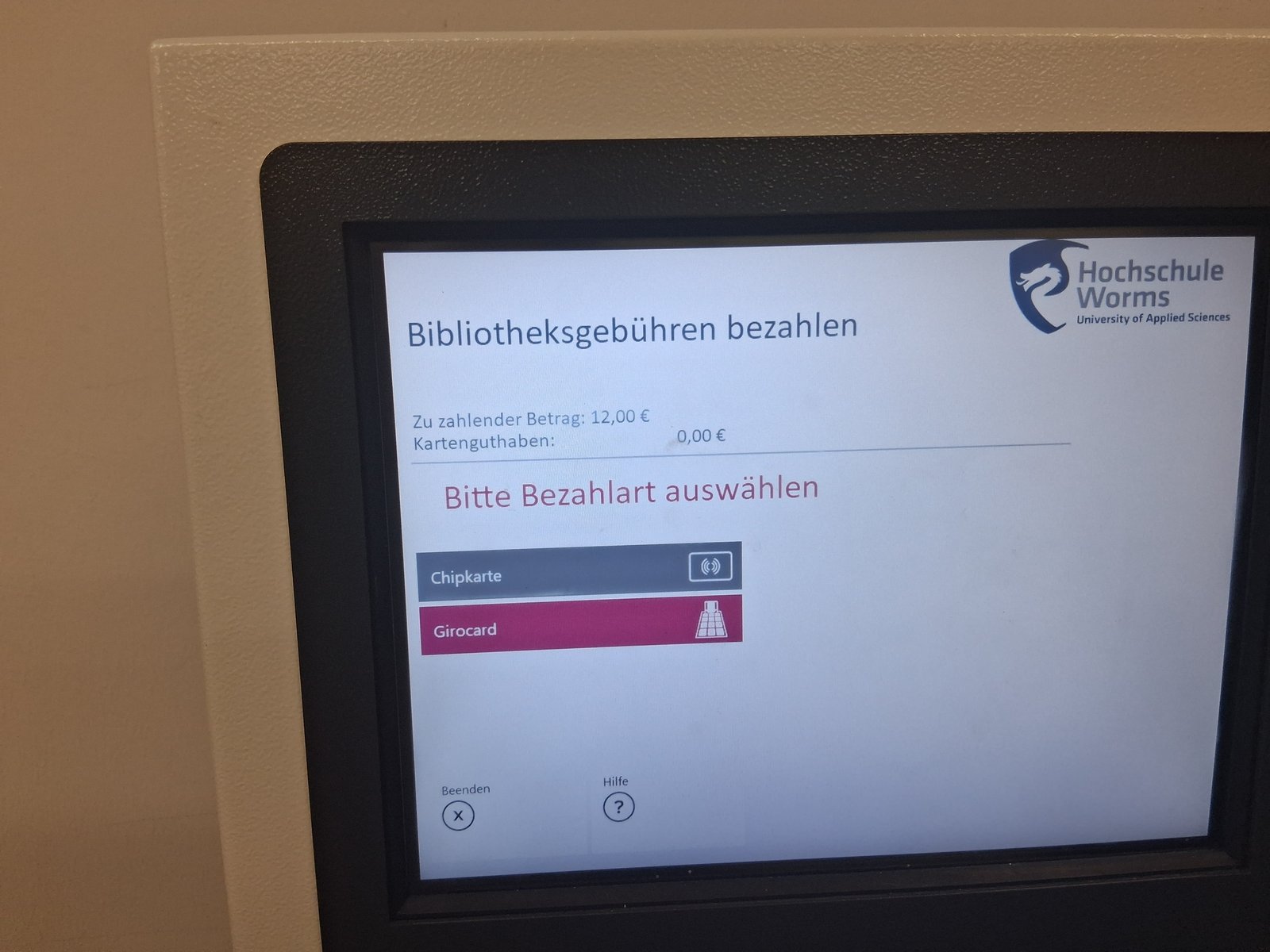
Select whether you'd like to pay using the balance on your university card or your debit card.
Step 5
©
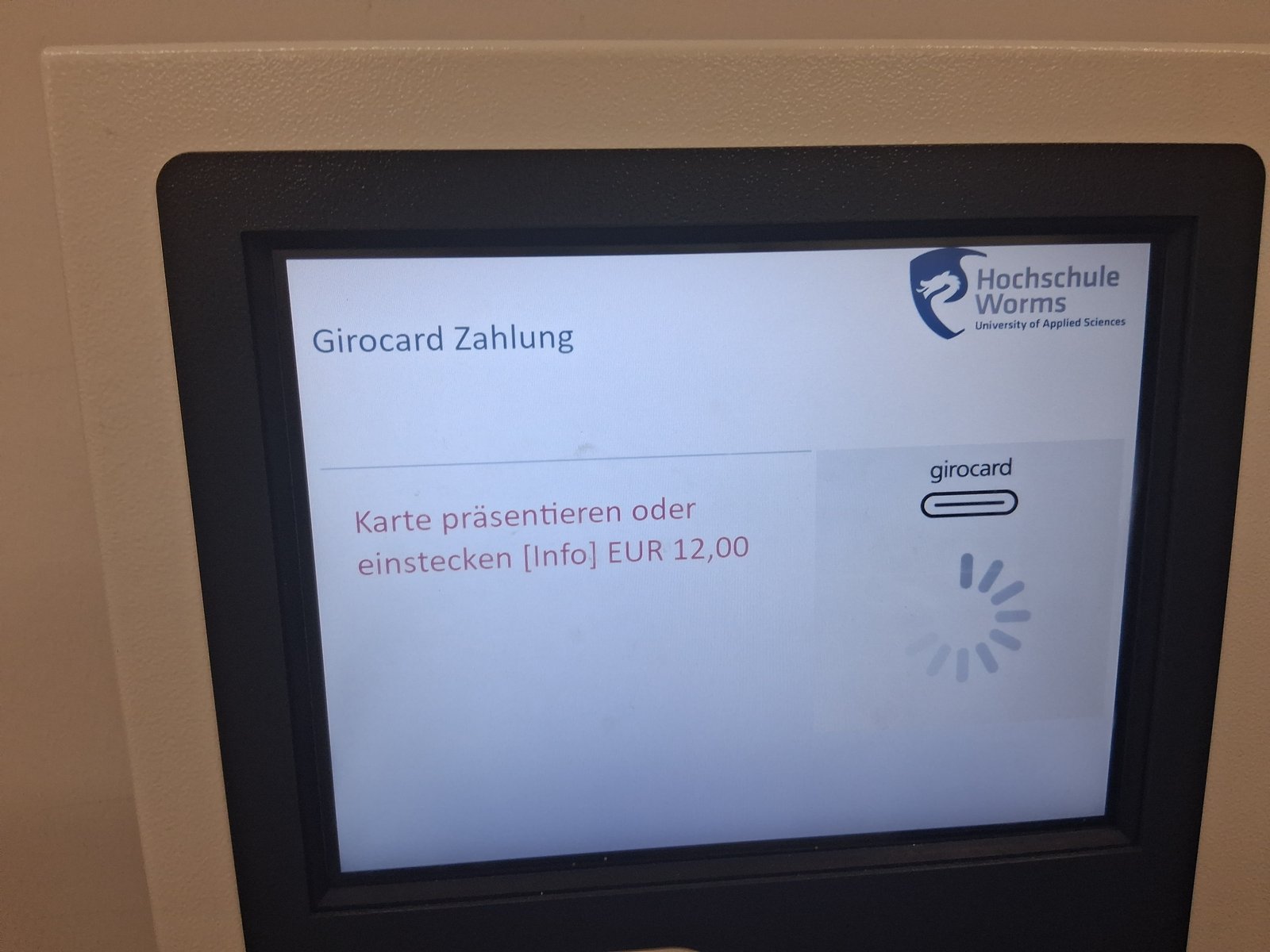
When you pay with your Girocard, this screen will appear.
Step 6
©
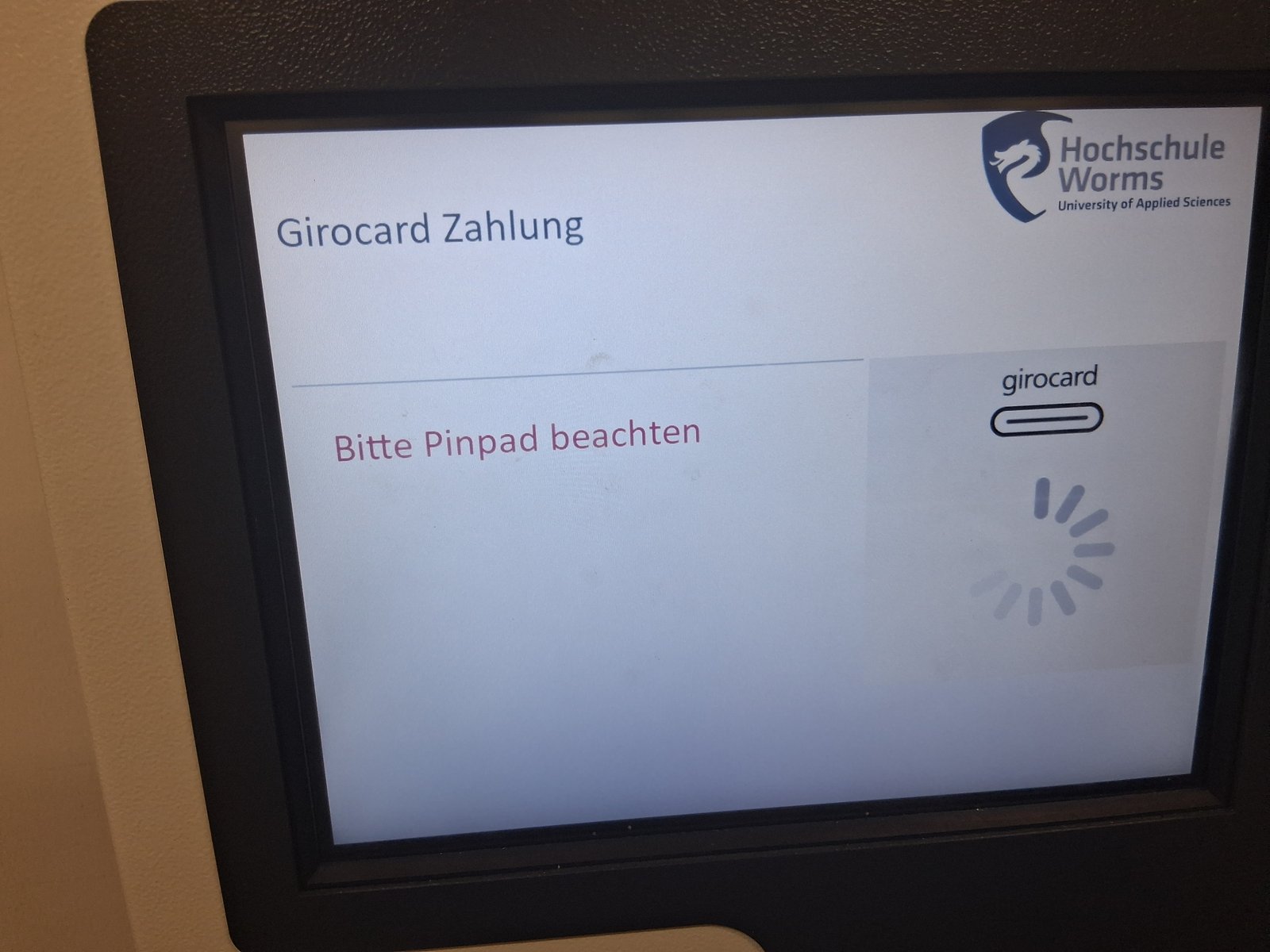
Enter your PIN using the PIN pad.
Step 7
©
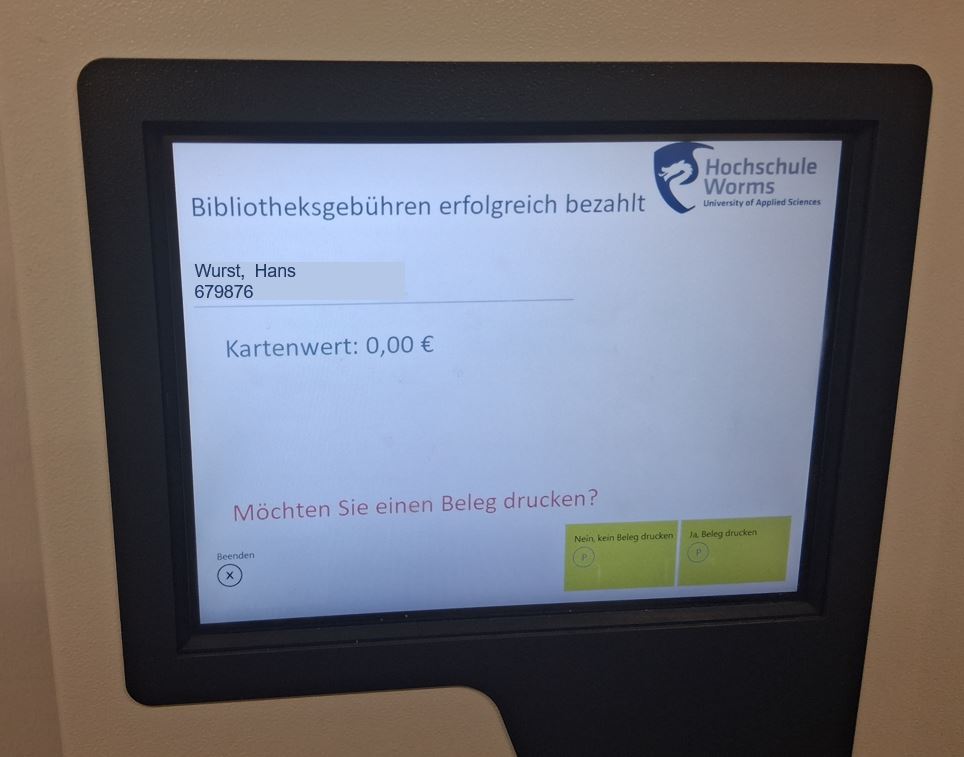
The screen confirms that the fees have been paid successfully.
You can print a receipt.
After payment, the fees will be automatically deducted from your user account.