Digital Registration for Using the University Library via the ICMS Portal (for students)
1. Open the University Worms ICMS portal:
https://icms.hs-worms.de/qisserver/pages/cs/sys/portal/hisinoneStartPage.faces?page=3
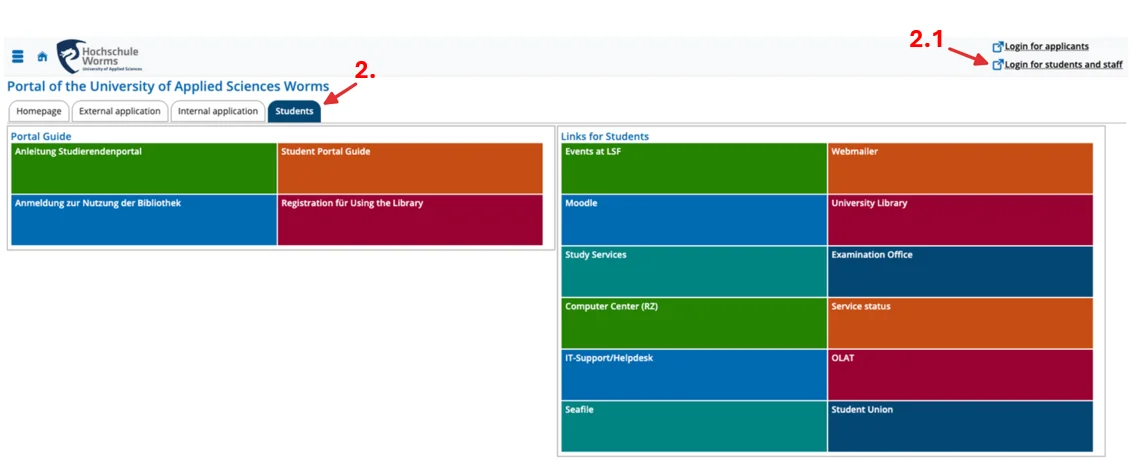
2. Make sure the “Students” tab is preselected.
2.1. Click on „Login for students and staff“ in the top right corner.
Log in using your university account.
HS Worms
©
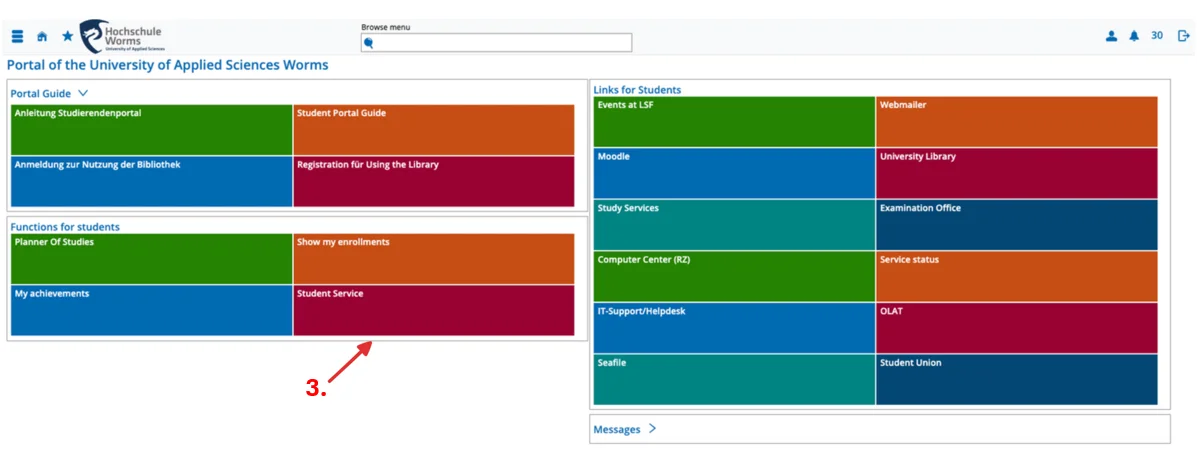
3. Select „Student Service“.
HS Worms
©
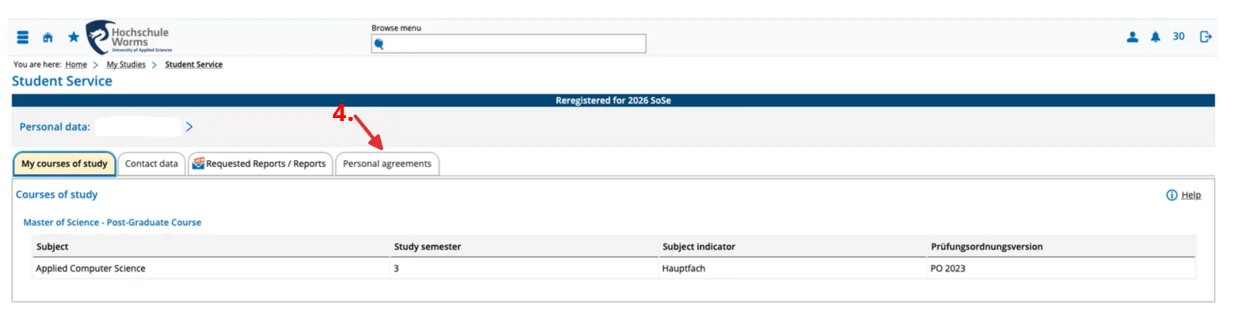
4. Select „Personal Agreements“.
HS Worms
©
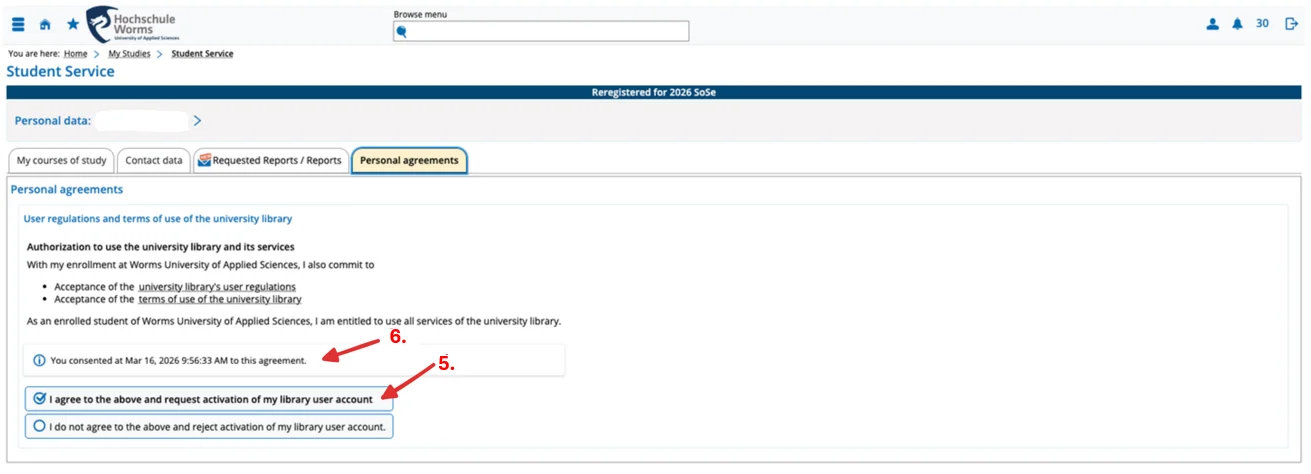
5. To activate your library account, select the first option: „I agree to the above and request activation …“
6. A message will appear confirming that your account has been activated.
HS Worms
©
7. Important!
After activation, your library account can only be used on the next opening day of the library.
Example: If you activate your account on Thursday -> From Friday, you can borrow media